Consistent brand voice helps AI models recognize and describe your business accurately. When content sounds like your site and reinforces the same entity signals, visibility improves across prompts.

Create a brand voice

  1. Select Brand voice from the sidebar.
  2. Click Create brand voice.
  3. Provide context — your site URL works best because Krastie analyzes your existing content and tone.
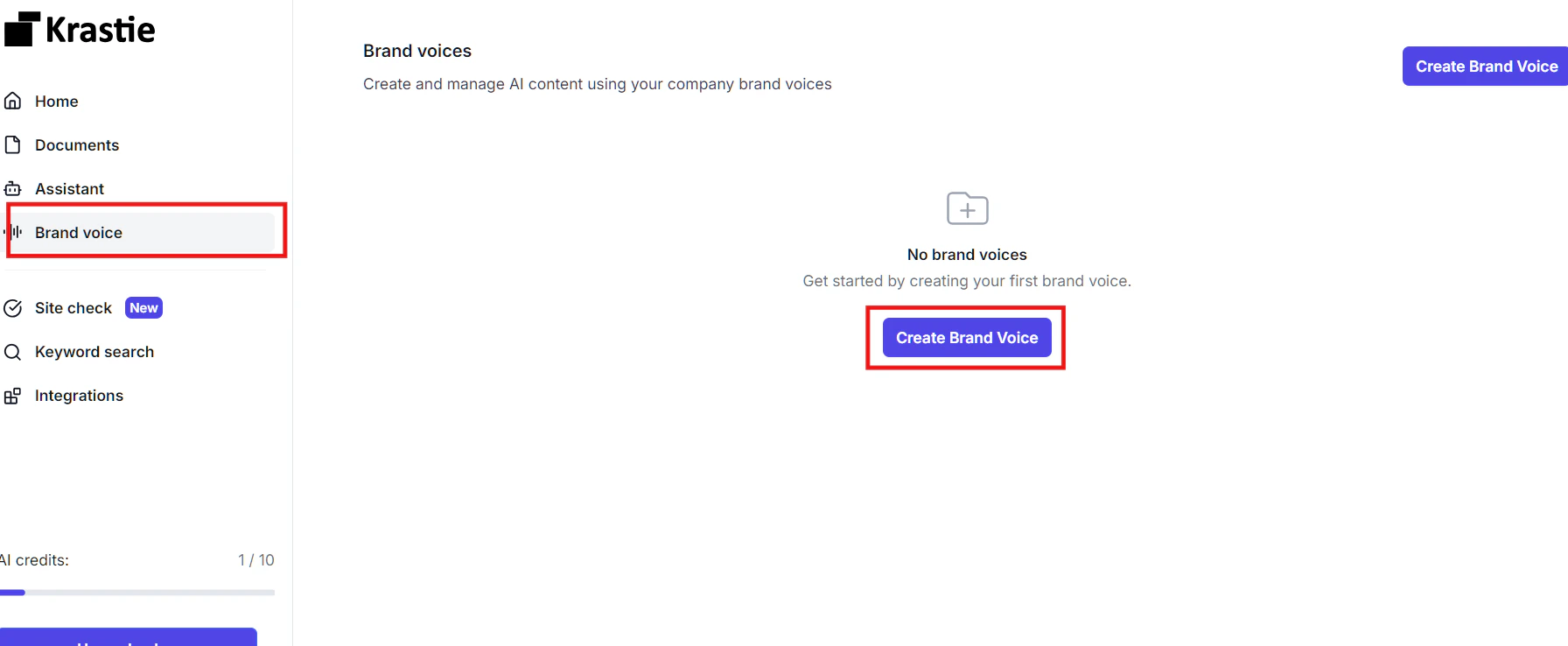
Screenshot2025 09 28015725 Krastie extracts writing style, terminology, and positioning from your source material. You can also create brand voices from sample text or uploaded files.

Use brand voice in content

Apply a saved brand voice when generating or improving content:
  • Select a brand voice in the Content editor before generating a draft
  • Pass brandVoiceId when calling the text or chat API endpoints
Brand voice does not replace visibility strategy — it ensures the content you publish to close visibility gaps sounds authentically like your brand.

Keep brand voice current

Update your brand voice when you:
  • Rebrand or change positioning
  • Target a new audience or product line
  • Notice generated content drifting from your site’s tone
Regenerate from your website URL or edit the saved voice directly in the app.

API access

Manage brand voices programmatically via the Brand voice library endpoints.